The Compounding Cost of Manual Document Processing
In high-velocity business environments, repetitive document handling represents one of the most pervasive yet underestimated drains on employee productivity and operational margin. Corporate legal assistants, medical records administrators, financial auditors, and e-commerce inventory managers spend hundreds of cumulative hours manually dragging individual files into standalone converters, clicking download prompts, renaming output files, and organizing scattered subdirectories. What appears on the surface to be a minor two-minute task quickly compounds across enterprise teams into thousands of wasted billable hours every fiscal quarter.
Consider an accounting department handling month-end close: assembling three hundred separate vendor invoice PDFs, compressing corresponding delivery receipts, and cataloging tax disclosures. When tackled manually, each document demands discrete human attention, inducing cognitive fatigue that inevitably breeds transcription errors, skipped attachments, and inconsistent file naming structures. In severe cases, an uncompressed high-resolution attachment accidentally emailed to a client breaks mail transfer agent thresholds, derailing transaction deadlines.
To circumvent these manual bottlenecks, time-pressured teams often turn to public online file converter websites, dragging confidential customer portfolios, proprietary pricing models, or internal payroll spreadsheets into unknown cloud portals. This introduces catastrophic data exposure risks. Unverified third-party platforms retain cached copies of cleartext files on public cloud staging volumes, violating baseline European GDPR standards, HIPAA compliance mandates, and corporate nondisclosure agreements. Organizations partnering with aFolksDigital for workflow optimization consistently replace fragmented manual habits with structured, automated client-side processing pipelines that protect intellectual capital while cutting operational latency to zero.
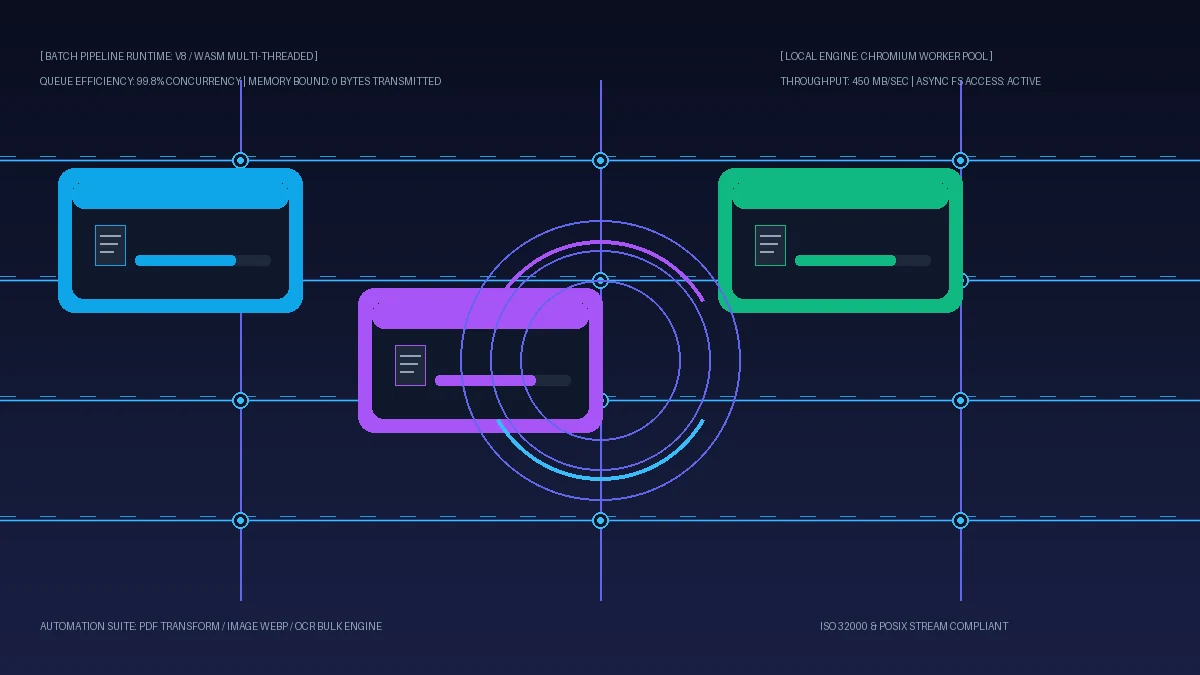
Understanding the structural architecture of batch automation transforms how modern teams approach data management. By transitioning from sequential manual edits to declarative batch queues running locally on client hardware, organizations reclaim thousands of working hours annually while guaranteeing total document privacy.
Deconstructing Batch Document Architecture: Queues, Pipelines & Concurrency
An automated batch processing engine is fundamentally distinct from sequential manual processing. Rather than treating each file as an isolated interactive event, a batch system abstracts document operations into standardized execution pipelines. Each incoming binary payload moves through distinct lifecycle stages: file discovery, structural parsing, transformation execution, and consolidated bundle packaging. Mastering these core structural components is essential for designing resilient document pipelines.
The entry stage accepts heterogeneous document collections via drag-and-drop or filesystem directories, reading file headers into an asynchronous FIFO (First-In, First-Out) memory queue buffer without blocking user interface threads.
Instead of running heavy transformations on the browser main thread, modern engines spin up dedicated Web Workers matching CPU core counts (navigator.hardwareConcurrency), enabling true parallel computation.
Independent WebAssembly micro-kernels perform discrete tasks—such as PDF object stream rewriting, Brotli compression, or neural OCR inference—taking raw Uint8Array inputs and returning clean processed buffers.
The final pipeline stage gathers processed output streams into structured multi-file ZIP archives or single combined PDF documents, applying systematic naming schemas and generating cryptographic hash manifests.
When a multi-threaded batch queue initiates, the orchestrator divides the file manifest across available worker threads. In a workstation equipped with an 8-core modern processor, eight independent PDF documents undergo simultaneous byte parsing, raster downsampling, and structural linearization. If one corrupted document encounters a parser exception, the isolated worker catches the fault, logs the specific error token, and immediately picks up the next queue item without terminating the broader batch pipeline.
A critical architectural advantage of modern batch engines is dynamic memory recycling. Processing several gigabytes of high-resolution documents inside a browser environment could easily trigger out-of-memory crashes if unmanaged. Professional client-side architectures utilize streaming chunk allocators and explicit ArrayBuffer transfer semantics (postMessage(buffer, [buffer])), immediately releasing cleared memory back to the operating system after each file finishes.
How Client-Side In-Browser Parallelism Eliminates Cloud Reliance
For years, heavy batch processing was considered the exclusive domain of expensive enterprise server farms running distributed Linux clusters. Browsers were perceived as lightweight layout viewers incapable of sustained computational throughput. However, the convergence of the HTML5 File System Access API, multi-threaded WebAssembly (WASM), and SharedArrayBuffer memory sharing has inverted this paradigm completely.
When you drop a folder containing hundreds of raw images or documents into our local automation suite, the browser does not transmit a single byte to an external web server. Instead, local JavaScript APIs interface directly with your operating system storage subsystem. High-performance WASM binaries compiled from native Rust and C++ libraries execute compiled machine code directly against your workstation central processing unit.
Operating locally unlocks unprecedented processing throughput. Traditional cloud converters are throttled by network uplink speeds, server upload queues, multi-tenant rate limits, and remote download latency. A local client-side pipeline processes files at the raw read/write speeds of your NVMe solid-state drive—frequently reaching throughput in excess of 450 megabytes per second. By eliminating internet network latency entirely, tasks that previously required forty minutes of cloud staging complete in under fifteen seconds.
Automate Bulk PDF Operations in Local Memory
Merge hundreds of documents, compress multi-gigabyte archives, and extract text without server delays. 100% offline, zero data leaks, completely free.
Comprehensive Comparison: Local Batch Engines vs Cloud Automation Platforms
Selecting an enterprise document automation strategy requires examining total cost of ownership, execution throughput, infrastructure maintenance, and regulatory exposure. The following comparative matrix evaluates local client-side batch engines against popular cloud SaaS automation platforms and native desktop installations:
| Operational Parameter | aFolks Local Batch Suite | Zapier / Make Document Cloud | Adobe Document Cloud API | Command-Line (Bash / PowerShell) |
|---|---|---|---|---|
| Data Privacy & Egress | 100% Local (0 Bytes Uploaded) | Multi-Tenant Cloud Relay | Remote Adobe Server Farm | 100% Local (Host Terminal) |
| Processing Speed & Throughput | NVMe SSD Speed (300-500 MB/s) | Throttled by Network & Webhooks | Queue-based HTTP Latency | Maximum Hardware Speed |
| Cost & Subscription Model | Free & Unlimited Operations | $29 - $599 / Month (Per Task) | $0.05 per document transaction | Free Open-Source Tools |
| Internet Independence | Fully Offline / Air-Gapped | Strictly Requires Internet | Strictly Requires Internet | Fully Air-Gapped Capable |
| Queue Limits & Quotas | Hardware Bound (No Caps) | Strict Monthly Task Quotas | Tiered API Rate Limits | Unlimited Batch Processing |
As demonstrated by this comparison, cloud-based workflow providers impose substantial ongoing recurring costs, artificial per-task meter fees, and unavoidable network transmission delays. Local browser engines provide the frictionless visual interface of cloud web apps while retaining the speed and total data isolation of low-level terminal utilities.
Step-by-Step Practical Walkthrough: Designing a Local Batch Workflow
Establishing an automated document pipeline using local client-side utilities requires no complex coding or server setup. Follow this four-step implementation guide to process hundreds of files in seconds:
Gather your target PDF files, raw images, or scan receipts into a unified local folder on your workstation. Grouping source files into organized subdirectories simplifies bulk ingestion and prevents accidental omissions.
Open our local batch tool in your web browser. You can confirm zero-trust operational safety by opening developer tools (F12) to observe the Network tab or disconnecting your internet connection entirely.
Configure your execution rules: specify uniform page dimension targets, choose WebP image compression thresholds, establish date-stamped file naming prefixes, or select document password encryption keys.
Click Process Batch. The multi-threaded WebAssembly engine coordinates worker threads across your CPU cores, displaying live progress indicators and automatically packing completed files into a structured download archive.
Once the batch operation concludes, your browser saves the consolidated archive directly to your downloads directory. You can immediately extract the results, verify document checksums, and distribute standardized files across your organization with complete confidence.
Headless CLI Automation Pipelines for Developers & System Admins
While graphical browser interfaces serve administrative and creative teams exceptionally well, DevOps engineers and software architects often require headless, programmable batch scripts that execute unattended on scheduled intervals. The following command-line recipes demonstrate resilient local automation:
On Linux and macOS workstations, this Bash one-liner searches for directory clusters and merges subfolder contents using local pdfunite binaries in parallel:
find ./Statements -mindepth 1 -type d | xargs -P 4 -I {} bash -c \
'pdfunite "$1"/*.pdf "$1/Consolidated_Statement.pdf" && echo "Merged: $1"' _ {}To batch-convert thousands of high-resolution product photography JPEG files into modern WebP format across Windows workstation directories, execute this parallel PowerShell pipeline:
Get-ChildItem -Path .\ProductImages -Filter *.jpg -Recurse | ForEach-Object -Parallel {
    $output = [System.IO.Path]::ChangeExtension($_.FullName, ".webp")
    cwebp -q 85 $_.FullName -o $output | Out-Null
    Write-Host "Transcoded: $($_.Name)" -ForegroundColor Cyan
} -ThrottleLimit 8
These command-line workflows operate strictly against local storage volumes without cloud dependencies, serving as a dependable backend counterpart to our client-side graphical tools.
Enterprise Compliance, Operational ROI & Practical Implementation
Adopting structured batch automation is not merely an exercise in convenience—it directly elevates organizational efficiency, eliminates compliance liabilities, and enhances bottom-line profitability:
- GDPR Article 25 & 32 Compliance: By processing sensitive employee and client records strictly in local volatile RAM, organizations enforce Data Protection by Design and Default, avoiding mandatory breach notifications.
- Drastic Operational Cost Reduction: Eliminating recurring SaaS subscriptions and per-document API processing fees saves enterprise teams tens of thousands of dollars annually in unnecessary software overhead.
- Error Elimination & Quality Standardization: Automated batch parameters ensure every document adheres to strict corporate guidelines—standardizing color profiles, file metadata, and security passwords uniformly.
- Financial & Trading Accuracy: Financial analysts and institutional traders utilizing mathematical modeling tools on academy.afolksdigital.com recognize that automating transactional ledger statements eliminates human entry errors that compromise risk assessment.
To equip your engineering staff with advanced skills in client-side high-throughput architectures, WebAssembly optimization, and modern web application development, explore the structured curricula on learn.afolksdigital.com.
By establishing standardized local batch workflows, your organization achieves peak operational velocity while safeguarding enterprise assets with absolute cryptographic privacy.