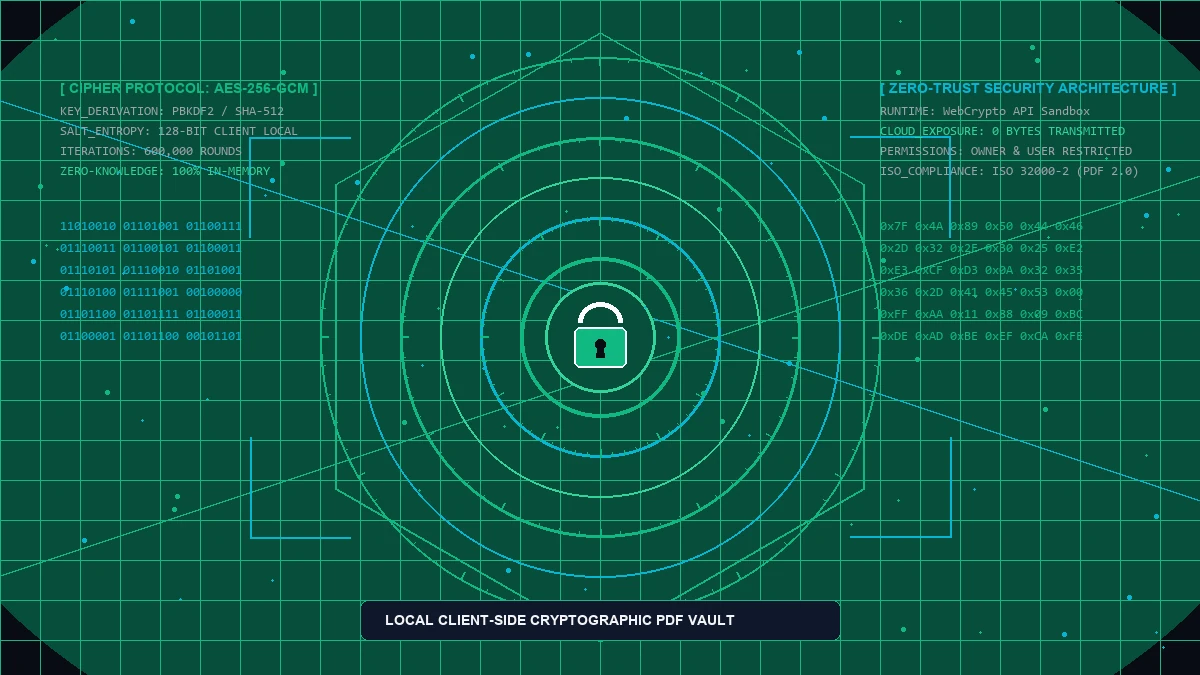
The Structural Vulnerabilities of Public Cloud Document Lockers
Every week, millions of corporate employees, legal consultants, and independent traders drag sensitive PDF records—including merger agreements, tax filings, proprietary trading logs, and personal identification documents—into popular online "free PDF locker" websites. While these portals promise convenience, their underlying operational reality contradicts basic data hygiene. Uploading an unencrypted document across the public internet immediately surrenders custody of your binary data to commercial intermediaries whose logging policies, multi-tenant server environments, and storage pipelines remain completely opaque.
When you submit a document to a conventional remote web server for encryption, your cleartext payload traverses multiple routing hops, load balancers, and temporary staging volumes before an asynchronous server worker executes an encryption binary. In many cloud architectures, unencrypted document fragments remain cached in temporary swap directories (/tmp), server access logs, or distributed object storage buckets long after your browser session terminates. Should an intruder breach the provider infrastructure, your unencrypted trade secrets, proprietary business models, or client records are exposed in plaintext.
Sending internal operational paperwork or proprietary financial models to third-party software as a service providers also creates severe corporate compliance liabilities. Modern international regulations—including the European Union General Data Protection Regulation (GDPR Article 32), the United States Health Insurance Portability and Accountability Act (HIPAA), and standard confidentiality covenants—penalize unauthorized processing and transmission of personally identifiable information. Organizations adopting enterprise consulting through aFolksDigital consistently mandate zero-trust operational protocols across all file handling workflows to safeguard intellectual capital.
Understanding the distinction between server-side encryption and client-side cryptographic containment is essential for modern professionals. By shifting the computational burden of key derivation, object stream encoding, and binary payload encryption into your local CPU and browser sandbox, you eliminate remote intermediary risks entirely. Your confidential documents never leave local workstation volatile memory, ensuring absolute data sovereign control.
Deconstructing PDF Encryption: Standard Security Handlers & Cryptographic Internals
The Portable Document Format (ISO 32000-1 and ISO 32000-2) implements a sophisticated, granular cryptographic architecture governed by the PDF Standard Security Handler. Rather than treating the entire PDF container as an opaque encrypted blob, the format maintains a structural document hierarchy where specific internal object dictionaries are encrypted while structural cross-reference tables (XREF) remain accessible for parser navigation. Mastering this internal layout reveals why proper cryptographic implementation is vital for document defense.
The trailer dictionary of an encrypted PDF contains an indirect reference to the /Encrypt object. This dictionary defines the security filter (/Filter /Standard), encryption algorithm version (/V), revision number (/R), key length (/Length), access permission flags (/P), and cryptographic verification strings (/U and /O).
PDF security distinguishes between the User Password (document open password required to decrypt content streams) and the Owner Password (permissions password controlling printing, copying, content extraction, and form field filling). Setting both properly prevents unauthorized structural tampering.
Historical PDF specifications utilized 40-bit and 128-bit RC4 stream ciphers (Revision 2 and 3), which are completely broken today. Modern security mandates PDF 2.0 Revision 6 (Extension Level 8) utilizing 256-bit Advanced Encryption Standard (AES-256) operating in Cipher Block Chaining (CBC) mode with SHA-256/SHA-512 hashes.
Revision 6 PDF encryption implements password-based key derivation functions (PBKDF2) using HMAC-SHA-256 with thousands of iterations. This computational stretching makes automated brute-force attacks and precomputed rainbow table dictionaries mathematically infeasible against complex passwords.
When a PDF reader opens an AES-256 protected document, it executes a rigorous handshake. The reader solicits the user password, processes it through the PBKDF2 derivation function alongside unique document salts stored in the /Encrypt dictionary, and compares the resulting validation token against the document verification entry (/UE). Only when this hash comparison matches does the viewer derive the master cryptographic key required to decipher content streams, embedded font objects, and image attachments.
Crucially, weak PDF encryption implementations frequently leave metadata streams unencrypted. If an encryption engine does not flag /EncryptMetadata true, sensitive document metadata—such as file title, author names, creation software, geographic tags, and revision history—remains readable in plaintext to automated scrapers even while page contents remain locked. High-assurance client-side tools ensure total stream encryption across both structural objects and metadata containers.
How Client-Side In-Browser Cryptography Protects Your Data
The emergence of the W3C Web Cryptography API and high-performance WebAssembly (WASM) execution runtimes has revolutionized browser capabilities. In years past, performing heavy 256-bit block cipher encryption on multi-hundred-megabyte PDF files inside a browser tab was computationally prohibitive, forcing users toward remote cloud conversion farms. Today, modern browsers can compile and execute near-native binary code locally at staggering throughput.
When you drop a confidential legal brief or sensitive financial workbook into our browser-based utility, your file is read directly from your local solid-state drive into browser RAM as a typed array (Uint8Array). An optimized WebAssembly cryptographic module written in Rust or C++ parses the PDF syntax tree, generates high-entropy cryptographic initialization vectors (IV) via the cryptographically secure pseudo-random number generator (crypto.getRandomValues), derives the encryption keys, and executes AES-256 CBC transformation across all internal byte streams. The browser then packages the binary payload into an encrypted container and triggers a native file download.
Throughout this entire sequence, network activity monitors reveal zero outgoing payload packets. You can disconnect your Ethernet cable, enable Airplane Mode, or block all network sockets in developer tools; the encryption engine continues running seamlessly. By pairing client-side processing with high-performance cryptographic algorithms, users attain bank-grade security without compromising operational speed.
Lock Your PDF Files Privately in Local RAM
Encrypt contracts, statements, and confidential records with military-grade AES-256 protection. 100% offline, zero server uploads, completely free.
Comprehensive Comparison: Local Offline Engines vs Cloud PDF Services
Evaluating document encryption solutions requires examining security boundaries, infrastructure costs, and workflow reliability. The following comparative audit details how local browser engines contrast with commercial cloud portals and proprietary desktop installations:
| Feature / Metric | aFolks Local Protector | Adobe Acrobat Pro | SmallPDF / ILovePDF | Command-Line (QPDF) |
|---|---|---|---|---|
| Data Privacy & Custody | 100% Local (Zero Uploads) | Local Storage (Sync Optional) | Remote Server Upload | 100% Local (Terminal) |
| Encryption Standard | AES-256 / Rev 6 PBKDF2 | AES-256 / Rev 6 PBKDF2 | AES-128 / Cloud Intermediary | AES-256 (qpdf --encrypt) |
| Cost / Subscription Model | Free / Unlimited | $239.88 / Annual License | $60 - $108 / Annual Plan | Free / Open-Source (GPL) |
| Internet Independence | Fully Offline Capable | Offline (Periodic Check-in) | Strictly Requires Internet | Fully Air-Gapped Capable |
| File Size & Queue Limits | No Artificial Limits (RAM-bound) | Unlimited Local Processing | 1 - 2 Files / Hour (Free Tier) | Unlimited Batch Processing |
As demonstrated by this matrix, cloud lockers introduce severe operational and security trade-offs without offering superior cryptographic protection. Local browser utilities provide the intuitive graphical ease of web tools alongside the impenetrable security boundary of native terminal utilities.
Step-by-Step Practical Walkthrough: Securing PDFs Client-Side
Securing your confidential files using local client-side cryptography is straightforward, fast, and completely safe. Follow these four practical steps to protect your documents in seconds:
Navigate to our dedicated client-side tool. For strict compliance audits or air-gapped environments, you can open developer tools (F12) to monitor the Network tab or disconnect your network adapter entirely before proceeding.
Drag and drop your target document into the designated drop zone, or click the file picker button. The file is instantly parsed into local browser memory without uploading any bytes to a remote server.
Enter a high-entropy password (incorporating uppercase letters, lowercase letters, numbers, and symbols). If you require separate administrative access, specify an Owner Password to restrict unauthorized document printing, vector extraction, or text modifications.
Click the Protect PDF button. The WebAssembly cryptography pipeline executes AES-256 encryption in milliseconds and prompts a native file save dialog, leaving your original document intact while creating an armored replica.
Once downloaded, you can test your protected file in Adobe Acrobat, Apple Preview, Google Chrome, or Mozilla Firefox. The viewer will immediately request your User Password before rendering a single page of content, confirming the integrity of the encryption envelope.
Automating PDF Encryption via Command-Line Tools (QPDF & PDFtk)
For system administrators, DevOps engineers, and power users seeking to secure thousands of invoice statements or client records programmatically, command-line utilities offer dependable batch encryption capabilities. Two industry-standard open-source tools provide native AES-256 bit encryption pipelines:
QPDF is a high-performance structural transformation tool capable of generating hardened PDF 2.0 Revision 6 encryption envelopes. The following command encrypts an input document with both User and Owner passwords, restricts permissions, and ensures metadata encryption:
qpdf --encrypt UserPass OwnerPass 256 --accessibility=n --extract=n --print=full -- input.pdf output_encrypted.pdfTo batch-encrypt an entire directory of confidential monthly billing records on Windows workstations, use this automated PowerShell pipeline leveraging local QPDF binaries:
Get-ChildItem -Path .\Statements -Filter *.pdf | ForEach-Object {
    $out = "$($_.DirectoryName)\Encrypted_$($_.Name)"
    qpdf --encrypt "ClientSecretKey99" "AdminMasterKey2026" 256 -- $_.FullName $out
    Write-Host "Locked: $($_.Name)" -ForegroundColor Green
}
These terminal commands process files entirely on local disk volumes without external cloud calls, providing an excellent companion strategy for automated backend server pipelines while graphical browser tools handle ad-hoc employee tasks.
Regulatory Compliance, Confidentiality & Practical Security Defenses
Document security is not merely a technical preference; it is a legally binding standard across global industries. Failing to protect sensitive corporate assets or disclosing them to third-party cloud intermediaries can trigger catastrophic regulatory fines and reputational ruin:
- GDPR Article 32 (Security of Processing): Mandates encryption of personal data and pseudonymization protocols. Submitting customer data to unverified online converters violates cross-border data transfer safeguards.
- HIPAA & Medical Information Protection: Healthcare providers and digital health developers are legally prohibited from transmitting patient health information (PHI) through cloud tools lacking executed Business Associate Agreements (BAA).
- Legal Privilege & Attorney-Client Confidentiality: Legal practitioners handling merger litigation, intellectual property disclosures, and criminal defense discovery breach professional ethical duties by exposing cleartext documents to public web locker portals.
- Proprietary Trading Records & Financial Disclosures: Algorithmic traders and investment analysts utilizing the financial calculators on academy.afolksdigital.com understand that proprietary risk parameters, trade ledger statements, and equity curves must remain strictly confidential to preserve competitive market edge.
To deepen your engineering team skills in secure web application design, client-side cryptography, and zero-trust software architecture, explore the comprehensive interactive courses available on learn.afolksdigital.com.
By establishing strict internal policies mandating local-only encryption, organizations safeguard their critical communications, protect confidential research, and maintain full control over their intellectual assets.