Как подписать документы PDF офлайн без загрузки: Полное руководство по безопасности Zero-Trust

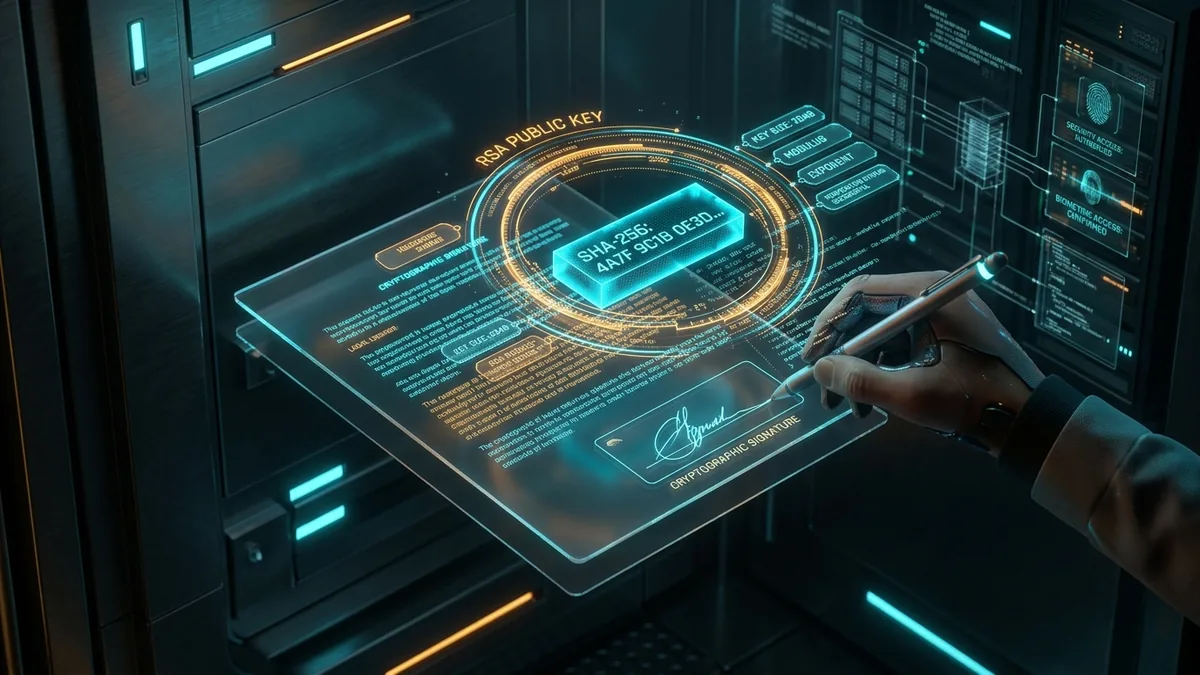
Signing confidential contracts, nondisclosure agreements, or financial documentation does not require surrendering your files to remote cloud services. Modern WebAssembly runtimes and HTML5 Canvas vector memory pipelines enable you to apply binding signatures directly in your local web browser. Zero bytes transmit across the network, zero staging copies exist on third-party servers, and your sensitive document remains completely private in local device RAM.
Скрытые угрозы конфиденциальности в облачных сервисах подписи
Каждый рабочий день миллионы юристов, специалистов по кадрам, бухгалтеров и частных пользователей загружают конфиденциальные документы на коммерческие облачные сервисы электронной подписи. Хотя маркетинговые материалы позиционируют эти платформы как удобное безбумажное решение, передача незашифрованных файлов через публичную инфраструктуру создает серьезные риски утечки данных, которые сотрудники служб безопасности часто упускают из виду.
Когда вы перетаскиваете конфиденциальный договор в окно традиционного веб-сервиса, файл проходит путь через множество промежуточных сетевых узлов. Удаленный сервер принимает двоичный поток данных и сохраняет его во временных хранилищах или реляционных базах данных. Даже если провайдер заявляет о шифровании данных в состоянии покоя, ключи дешифрования остаются под контролем владельцев платформы, что оставляет ваши коммерческие контракты и финансовые ведомости доступными для внутренних процессов системы и потенциальных атак.
Помимо централизованного хранения, сторонние сервисы нередко применяют автоматическое оптическое распознавание символов (OCR) и фоновую индексацию документов для сбора аналитики и обучения алгоритмов машинного обучения. Более того, подписанные копии обычно сохраняются на промежуточных серверах от 30 до 90 дней согласно стандартным регламентам хранения. Для компаний, соблюдающих строгие требования регуляторов по защите персональных данных, передача файлов сторонним SaaS-сервисам является прямым нарушением периметра безопасности.
Напротив, концепция безопасности Zero-Trust требует, чтобы конфиденциальные файлы никогда не покидали пределы физической оперативной памяти вашего компьютера. Перенос логики обработки данных из облачных кластеров непосредственно в изолированную среду веб-браузера позволяет выполнять полное подписание документов с безупречной конфиденциальностью.
Электронная подпись (E-Sign) против криптографической цифровой подписи
Для грамотного юридического и технического оформления документов необходимо четко различать простую электронную подпись и криптографическую цифровую подпись. В повседневном деловом общении эти термины часто путают, хотя их математическая природа и механизмы верификации принципиально различаются.
Электронная подпись представляет собой графический штамп, рукописный росчерк или отметку, нанесенную на страницу электронного документа для подтверждения волеизъявления подписанта. В структуре формата PDF она добавляет визуальную аннотацию (/Annot) или объект изображения в поток содержимого страницы (/Contents), наглядно фиксируя факт согласования документа.
Цифровая подпись базируется на инфраструктуре открытых ключей (PKI) и криптографических хеш-функциях в соответствии со стандартом ISO 32000-2. Формируется хеш-образ всего документа по алгоритму SHA-256, который затем шифруется закрытым ключом автора. Специальный словарь подписи (/Sig) сохраняет зашифрованный хеш, сертификат открытого ключа X.509 и точные границы байтового диапазона (/ByteRange).
Если в подписанном PDF-файле изменится хотя бы один символ или координата объекта, последующая проверка выявит несовпадение контрольной суммы SHA-256, что мгновенно аннулирует подпись. Для абсолютного большинства повседневных соглашений, актов выполненных работ и внутренних корпоративных регламентов локальная электронная подпись в оперативной памяти браузера обеспечивает полную юридическую силу без необходимости оплачивать сторонние облачные подписки.
Архитектура Zero-Trust: векторная обработка в локальной памяти RAM
Локальное подписание без передачи данных на сервер строится на использовании технологий HTML5 Canvas и скомпилированных модулей WebAssembly (таких как PDF-Lib). Интерфейс FileReader считывает файл напрямую в буфер ArrayBuffer в локальной оперативной памяти. Графический движок формирует плавные векторные кривые Безье, благодаря чему подпись сохраняет безупречную четкость при масштабировании и печати.
When you open a local document in a client-side utility, the browser FileReader API ingests the binary payload into an ArrayBuffer allocated strictly inside your local memory space. At no point does the application establish a network socket, WebSockets stream, or HTTP POST request to an external server. The PDF structure is parsed locally using compiled JavaScript or WebAssembly libraries such as PDF-Lib or WebAssembly MuPDF.
Защищайте и подписывайте документы PDF прямо в браузере
Заверяйте конфиденциальные договоры, шифруйте файлы алгоритмом AES-256 и объединяйте PDF офлайн без облачных рисков.
When you draw your signature on the interactive screen, a dedicated vector pen listener tracks raw cursor coordinates, pressure levels, and velocity parameters. Rather than rasterizing your signature into a blurry low-resolution JPEG, the vector engine compiles smooth cubic bezier curves. These mathematical path vectors are translated into standard PDF graphic operators (such as m for moveto, c for curveto, and s for stroke), ensuring that when the document is printed or viewed on high-density displays, your signature appears razor-sharp at infinite zoom levels.
Once you place the signature at your desired page coordinates, the client-side engine writes the vector drawing or PNG stamp into the target page dictionary. It updates the document cross-reference table (/XRef) and re-serializes the ArrayBuffer into a downloadable Blob. The user clicks download, and the operating system saves the newly signed PDF directly to local storage. From initial file selection to final disk write, the data stays completely insulated within the browser sandbox.
Пошаговый план: как безопасно подписать PDF офлайн
Executing an offline document signature requires four straightforward procedural steps. You can verify the offline guarantee yourself by disconnecting your Wi-Fi or enabling airplane mode during the entire execution process:
Откройте инструмент в веб-браузере. После кэширования статических файлов можно полностью отключить интернет для гарантированной изоляции.
Перетащите PDF в рабочую область. API FileReader считывает двоичные данные в оперативную память без единого сетевого запроса.
Нарисуйте подпись стилусом, мышью или на сенсорном экране, либо вставьте изображение. Отрегулируйте размер и положение на нужной странице.
Нажмите завершить. Движок WebAssembly встраивает векторные кривые в структуру файла и инициирует прямое сохранение на диск.
For organizations managing high-volume document workflows, pairing offline signing with local document combination tools—such as our Batch PDF Merger—enables staff to collate signed signature addendums, exhibits, and master agreements into a single consolidated packet without cloud exposures. For comprehensive workflows, see our specialized guide on automating document workflows with batch processing.
Техническое сравнение: локальная обработка против облачных платформ
When selecting a document signing methodology, technical architects and security teams must weigh security boundaries, administrative friction, software costs, and implementation speeds. The following matrix contrasts local browser in-memory signing against enterprise cloud signers, desktop suites, and command-line cryptography:
| Architectural Dimension | aFolks Local In-Memory Engine | Cloud SaaS (DocuSign / SmallPDF) | Adobe Acrobat Pro Desktop | Command-Line (OpenSSL / QPDF) |
|---|---|---|---|---|
| Data Privacy Boundary | 100% In-Memory RAM (0 Uploads) | Mandatory Remote Server Staging | Local Disk + Cloud Sync Backchannel | 100% Local (Host Terminal) |
| Network Dependency | Zero (Fully Functional Offline) | Mandatory Active Internet Connection | Offline Capable (Requires Account Check) | Zero Network Dependency |
| Licensing & Subscription Cost | 100% Free & Open Utility | $120 to $480+ per user / year | $239.88 per seat / year | Free Open-Source Software |
| Software Installation Hurdles | Instant (Zero Install, Zero Extensions) | Account Registration Required | Heavy 2+ GB Installer & Admin Rights | Package Managers & Shell Scripting |
| Signature Vector Resolution | Infinite Bezier Curve Vector Crispness | Compressed Low-DPI Raster Bitmap | High-Precision Vector Embedding | Raw Binary Stream Injection |
| GDPR / HIPAA Compliance | Inherent Zero-Trust Architecture | Requires Complex Vendor DPA Signing | Depends on Local IT Hardening | Compliant under Isolated Sandbox |
Юридическая сила: соответствие нормам eIDAS, ESIGN и UETA
Международное и национальное законодательство (включая европейский регламент eIDAS и американский закон ESIGN Act) прямо признает юридическую силу электронных подписей. Статья 25 регламента eIDAS устанавливает, что электронной подписи не может быть отказано в юридической силе и допустимости в качестве доказательства в суде только на том основании, что она представлена в электронной форме.
In the United States, the Electronic Signatures in Global and National Commerce Act (ESIGN Act, 15 U.S.C. § 7001) and the Uniform Electronic Transactions Act (UETA, adopted in 49 states) establish that a signature, contract, or other record relating to a transaction may not be denied legal effect, validity, or enforceability solely because it is in electronic form. The law requires four fundamental elements for an electronic signature to be legally binding:
- Intent to Sign: The signer must demonstrate a deliberate, conscious action to adopt the record (such as physically drawing their signature glyph and clicking an explicit apply button).
- Consent to Electronic Business: Both parties must agree to conduct the transaction electronically, either through explicit clause language or implicit course of conduct.
- Association of the Signature: The signature mark must be logically attached to or embedded within the specific document record being executed.
- Record Retention and Integrity: The executed document must remain reproducible in an unaltered state for future reference by all executing parties.
Under the European Union Regulation on Electronic Identification and Trust Services (eIDAS Regulation (EU) No 910/2014), signatures are categorized into Standard Electronic Signatures (SES), Advanced Electronic Signatures (AES), and Qualified Electronic Signatures (QES). Article 25(1) of eIDAS explicitly prohibits courts from denying the legal admissibility of a signature simply because it is in electronic form or does not meet qualified trust service status. Offline browser signing fully satisfies the criteria for Standard Electronic Signatures, making it universally valid for commercial purchase orders, employment agreements, consulting engagements, non-disclosure contracts, and general business correspondence.
For organizations seeking to harden their executed documents post-signing, applying password-based encryption provides an additional layer of cryptographic tamper-resistance. Consult our detailed guide on how to password protect PDF files locally to implement zero-trust AES document locks.
Часто задаваемые вопросы (FAQ)
Can I sign a PDF without uploading it to a cloud server?
Yes. By using client-side tools powered by HTML5 Canvas and WebAssembly engines, your document is loaded directly into your workstation RAM. The signature glyph is embedded into the document structure locally, and the file is saved to your disk without ever communicating with external web servers.
Is it safe to sign sensitive contracts on free online PDF tools?
Traditional online PDF services upload your file to their remote servers where it can be stored, logged, or indexed by background worker processes. For sensitive legal, medical, or corporate records, you should strictly use zero-trust client-side tools where processing happens entirely in local memory.
What is the difference between an electronic signature and a digital signature?
An electronic signature visually indicates intent to sign via a handwritten mark or stamp placed onto the PDF page. A digital signature uses asymmetric cryptography (PKI) and cryptographic hashes (like SHA-256) to mathematically seal the entire document against unauthorized alterations.
Does offline signing work on mobile devices and tablets?
Yes. Modern mobile browsers on iOS and Android support HTML5 touch event listeners and WebAssembly compilation. You can draw your signature smoothly using your finger or an Apple Pencil directly onto the responsive canvas with full hardware acceleration.
Can I verify that zero data was uploaded during my signing session?
Yes. You can open your browser Developer Tools (F12) and monitor the Network tab during the entire file selection, signing, and download workflow. You will observe zero outgoing POST requests. Alternatively, you can sever your internet connection completely once the tool page loads; the application will execute flawlessly offline.